Open Book GP Appointment Service Card, tap ‘Book Appointment’
You're viewing our UK site. Prices, available medicines and clinicians depend on where you live.
 United KingdomUK care and pricing. Telehealth, pharmacy and NHS services for UK patients.Current
Skip the morning phone queue. NowPatient lets you book GP appointments online at a time that suits you, choosing from available slots at your own practice up to 16 weeks in advance. View, reschedule or cancel from your account, and get reminders so you never miss a visit.
Free to use for patients registered with a participating GP in England.
Step-by-step guide to using in-app
Open Book GP Appointment Service Card, tap ‘Book Appointment’
If needed, enter Linkage Codes to unlock Service Card
Briefly state appointment reason in ‘Reasons for Booking’
Choose your preferred doctor and booking slot
Receive booking confirmation in ‘Notifications’
How Book GP Appointment Works
NowPatient’s Book GP Appointment is an online service that lets NHS patients in England book, view, and cancel appointments with their registered GP surgery through a NowPatient account. It allows users to schedule GP appointments up to 16 weeks in advance, depending on what your GP surgery makes available online.
The Book GP Appointment service is available to NHS patients registered with a GP in England. It is not available in Scotland, Wales, or Northern Ireland.
The service is completely free for all registered NowPatient users, under a fair usage policy of one booking application per day.
This service is only available to users who have linked their NHS account with NowPatient. Accessing the service depends on how you created your NowPatient account.
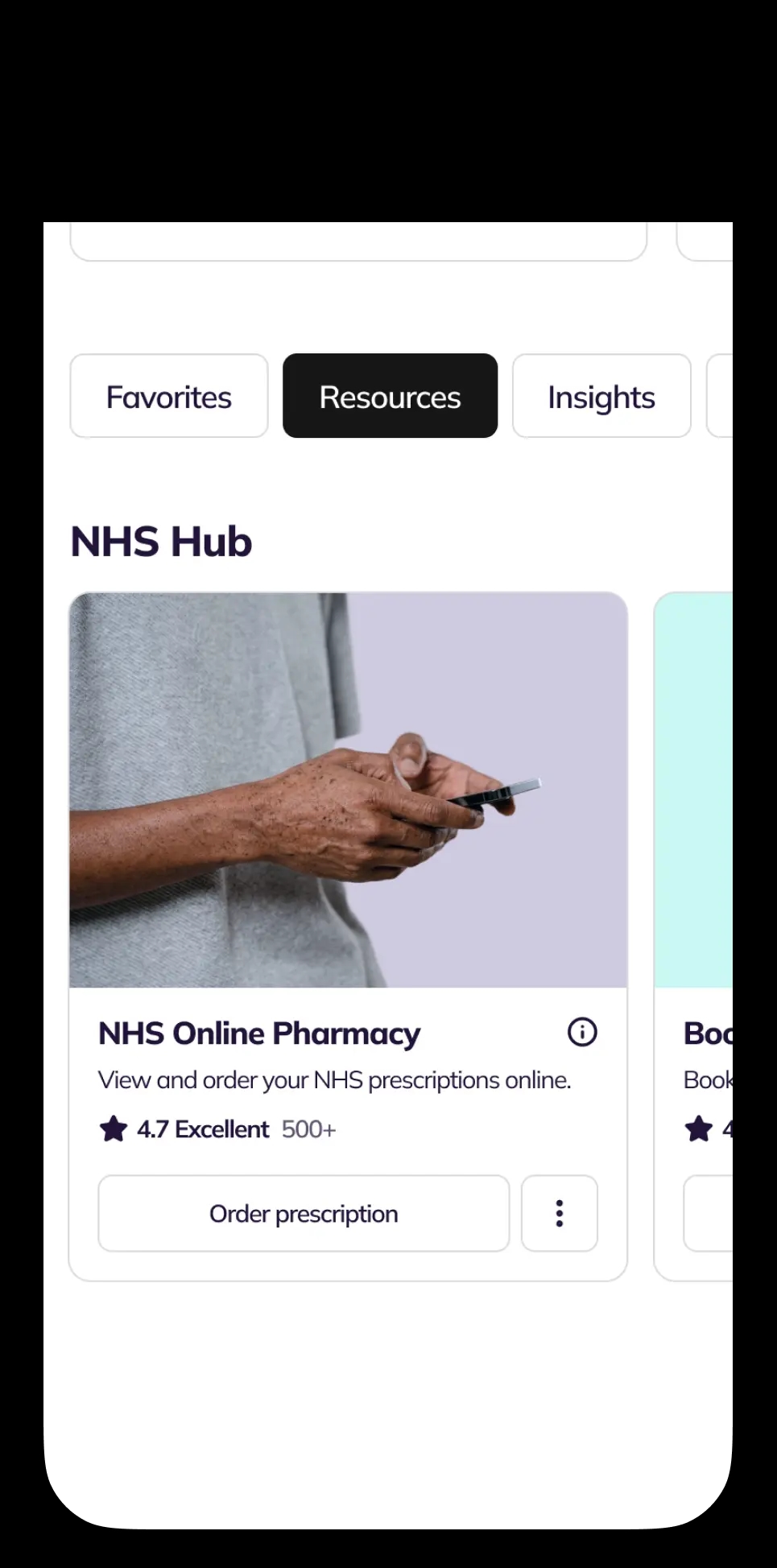
The Book GP Appointment Service Card will be fully active from the start. Navigate to the ‘NHS Hub’ section of your account homepage to find it.
If you are are registered with the NHS in England, but used your email address when creating your NowPatient account, you can still access NHS services by linking your NHS account to your NowPatent account.
Navigate to the Book GP appointment service card, which will appear locked. You can select one of two options to connect your NHS account to activate the service:
NHS Login. Select the button and you will be taken to the NHS login page, where you will need to enter your credentials. Once this is done, you will be returned back to NowPatient, from where the service will be activated. You will also be able to activate all other NHS services.
Linkage Keys. Select the button for Linkage Keys and you will be prompted to enter your three linkage codes (also known as linkage keys). These codes protect your NHS records and keep it secure. Once entered, this service will be activated.
You can request your linkage keys by the following a few simple steps:
Contact your GP practice and ask for access to ‘online services’. Tell them you would like your three linkage keys
Wait for your codes. Your GP surgery will send you a letter or email with three codes: a linkage key (or passphrase), an ODS code (or practice ID), and an account ID. Each practice handles these requests differently, with some asking you to complete an online form, while others prefer email or phone
Enter your codes in NowPatient. Go to your account homepage and find the Book GP Appointment Service Card (it will be locked by default). Select the ‘Connect’ button, which will then activate a modal in which you can enter all three codes to unlock the service
Tip: The simplest way to request your linkage keys is by email. A downloadable template email is available here to help you make the request.
Alternatively, If you don't yet have NHS login, you can set one up on the NHS website. NHS login does a quick identity check before sharing your records, and you'll need a fully verified account to use it with NowPatient. Your details sync automatically from your NHS account, so any updates you make there flow straight into NowPatient.
Follow these steps to book a GP appointment, once the service is active:
Go to the Book GP Appointment Service Card. Find it in the ‘NHS Hub’ section of your account homepage.
Select ‘Book Appointment’ from the Options Menu on the Service Card.
Choose your date, time, and GP preference. Browse the available appointment slots and select the one that suits you.
Confirm your booking. You will receive a notification in your ‘Notifications’ section confirming the appointment.
Remember: Once your booking is confirmed, you are expected to attend your GP surgery at the agreed date and time.
NowPatient shows appointment slots at your GP surgery up to 16 weeks in advance. However, your GP surgery decides how far ahead appointments are actually available to book. The number of available slots depends on what your surgery has made available.
To view your appointments, go to the Book GP Appointment Service Card in the ‘NHS Hub’ and select either ‘Upcoming Appointments’ or ‘Past Appointments’ from the Options Menu. This will show you a list of your booked or previous appointments.
Follow these steps to cancel an appointment:
Go to the Book GP Appointment Service Card and select ‘Upcoming Appointments’ from the Options Menu
Find the appointment you want to cancel and select the ‘Cancel Appointment’ button
Note: Your GP surgery may stop accepting online cancellations if it is too close to the appointment time. If you cannot cancel online, contact your surgery directly
NowPatient operates a fair usage policy on all NHS integrated services to help prevent misuse of NHS resources. Under this policy, you are limited to searching one booking slot per day.
If you cannot see any available appointment slots, there are several possible reasons:
Your GP surgery does not currently allow online appointment booking
Your GP surgery has stopped using online appointment booking
All available slots have already been booked
Contact your GP surgery directly if you need to book and no online slots are available.
If the appointment slot you selected is now showing as unavailable, another patient may have booked it before you completed your booking. Try searching again, since there may still be a slot at the same time with a different clinician or surgery member.
Do not use NowPatient to book urgent or same-day GP appointments. If you need a same-day or urgent booking, contact your GP surgery directly. You can also visit 111.nhs.uk if you think you need medical help right now. If it is a life-threatening emergency, call 999.
Find answers to common questions about booking, viewing, and cancelling GP appointments online through NowPatient.
The Book GP Appointment service lets you book, view, and cancel GP appointments online through your NowPatient account. You can schedule appointments up to 16 weeks in advance and cancel at any time (subject to your surgery’s cancellation policy).
The service is completely free for all registered NowPatient users.
No. The service is commissioned by NHS England and is only available to patients registered with a GP in England. It is not available in Scotland, Wales, or Northern Ireland.
No. Do not use NowPatient for urgent or same-day GP appointment bookings. If you need urgent care, contact your GP surgery directly, visit 111.nhs.uk, or call 999 for life-threatening emergencies.
If you signed up with NHS login, the Book GP Appointment service card is active immediately.
If you signed up with your email address or used Google or Apple to sign up, the Book GP Appointment service card on your account homepage will appear with a ‘locked’ symbol. To activate it, you will need your linkage keys which can be obtained from your GP surgery. Once obtained, click the ‘Connect’ button on the Book GP Appointment service card and you will be presented with a modal in which you can enter these codes. If successfully entered, it will unlock the service card.
Linkage keys are three codes used by the NHS to secure your GP record: a linkage key (or passphrase), an ODS code (or practice ID), and an account ID. Contact your GP practice, ask for access to online services, and request your three linkage keys. They will send them by letter or email. A template email is available on the service page to help you make the request.
Go to the Book GP Appointment Service Card in the ‘NHS Hub’ on your account homepage. Select ‘Book Appointment’ from the Options Menu, choose your preferred date, time, and GP, then confirm your booking.
NowPatient shows appointment slots up to 16 weeks in advance. However, your GP surgery decides how far ahead appointments are actually available, so the number of slots you see depends on your surgery’s settings.
Yes. NowPatient operates a fair usage policy on all NHS integrated services to help prevent misuse of NHS resources. Under this policy, you are limited to searching and booking one slot per day.
You will receive a confirmation notification in your ‘Notifications’ section on the account homepage. You can also check your upcoming appointments from the Book GP Appointment Service Card. Remember to attend your GP surgery at the agreed date and time.
Another patient may have booked the same slot before you completed your booking. Try searching again since there may still be a slot available at the same time with a different clinician or surgery member.
Go to the Book GP Appointment Service Card in the ‘NHS Hub’ and select ‘Upcoming Appointments’ or ‘Past Appointments’ from the Options Menu. This displays a list of your booked or previous appointments.
Go to the Book GP Appointment Service Card, select ‘Upcoming Appointments’, find the appointment you want to cancel, and select the ‘Cancel Appointment’ button. If your surgery has stopped accepting online cancellations because the appointment is too close, contact the surgery directly.
There are several possible reasons: your GP surgery may not allow online booking, your surgery may have stopped using online booking, or all available slots may have already been taken. Contact your GP surgery directly if no online slots are available.
Yes. The Book GP Appointment service shows slots that your GP surgery has made available for online booking. If your surgery does not offer online booking, no slots will appear. Contact your surgery to check whether they support this feature.
NowPatient accounts are unique to each individual. Each person needs their own NowPatient account to book GP appointments.
Consultations, prescriptions, medication delivery, health monitoring – all in one place.
Wow! Excellent customer service. I submitted an email query, had a call…
Alison Hurst
I do not leave reviews, due to time and a rare condition I have. I…
Sherry M
Great experience getting the med. Clinician was very thorough.
Barbara Hill
Cannot speak highly enough of the service and assistance I have…
CJH
Very good experience - the clinician asked intelligent questions about…
Phil Daoust
Really excellent. Very thorough and professional pharmacist who guided…
Colin Glass
We are a broad skilled and passionate group of clinicians with experience of operating in regulated health systems in the United Kingdom & United States. Providing excellent care and advice is at the heart of everything we do.